Heads up - Internet Explorer is no longer supported
Your browser is outdated, meaning it's incompatible with our website and exposes your computer to security risks. For a better, safer experience, please use a different browser or upgrade here.
You can check the warranty of your device using the serial number, date and country of purchase. You can find the serial number in the device settings or on the barcode sticker of your device. Watch the video if you need help finding the serial number. For more information, see the TomTom warranty terms.
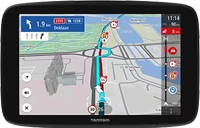
This video shows where to find the serial number of your navigation device. Your serial number can be found on a barcode sticker outside of your device, and this video shows different locations depending on your device model. This information is also available through the menu option of your device.